
Headphone Connect - Get APK
You'll be able to download in few seconds.
Publisher Description
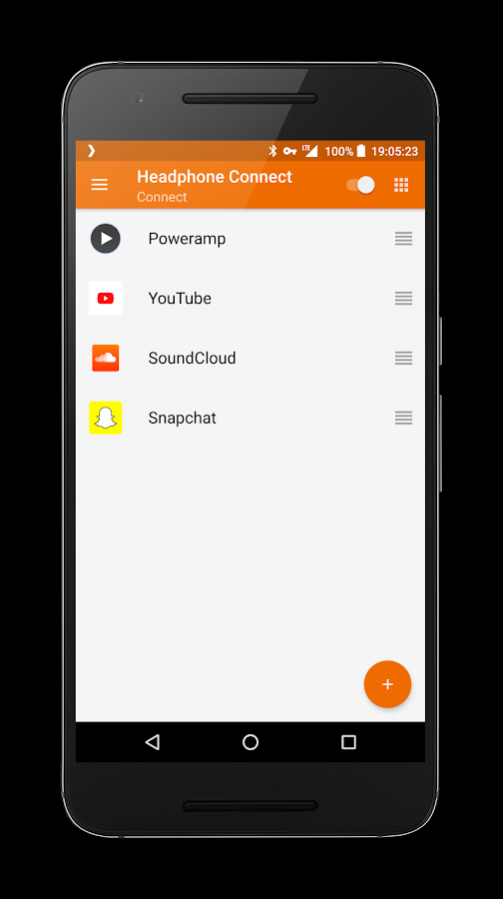
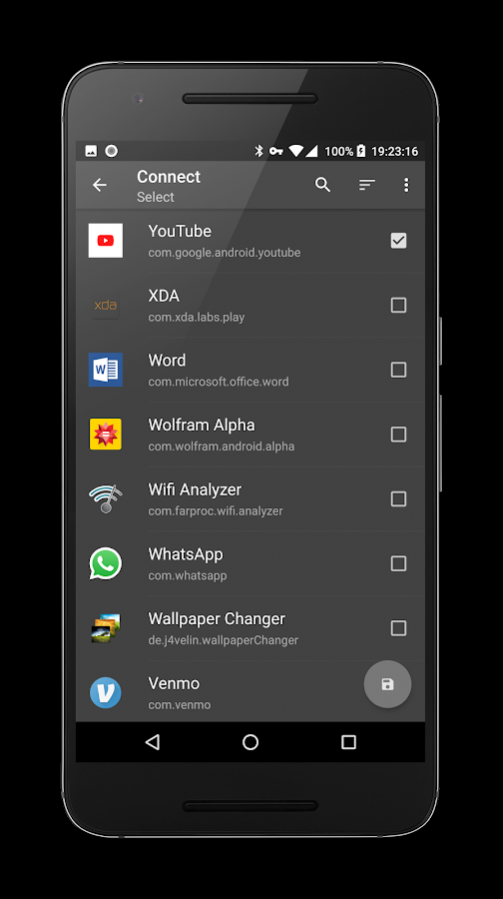
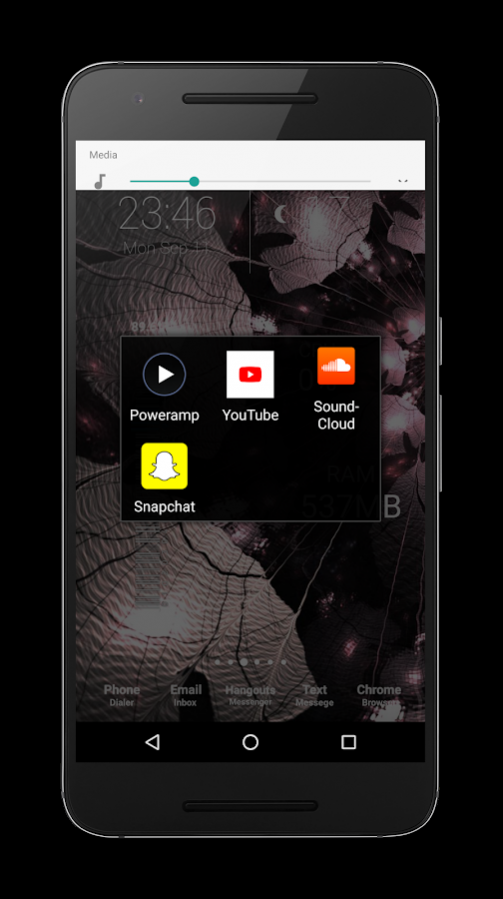
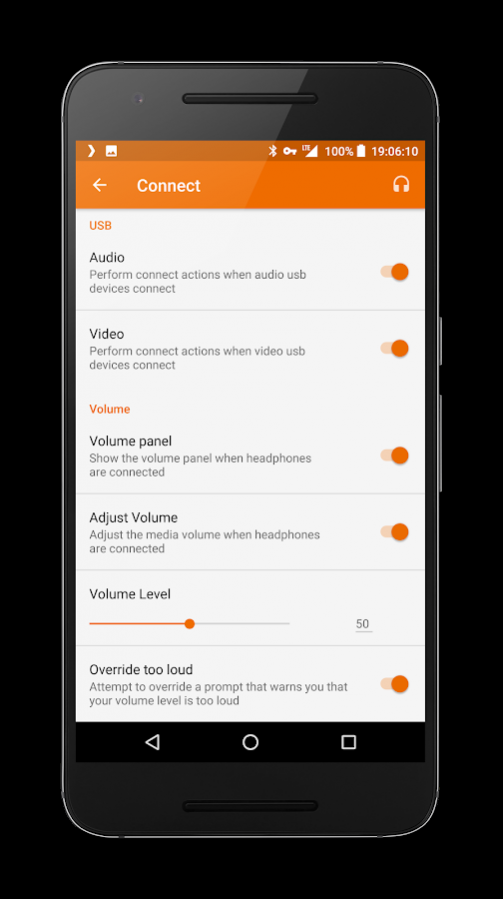
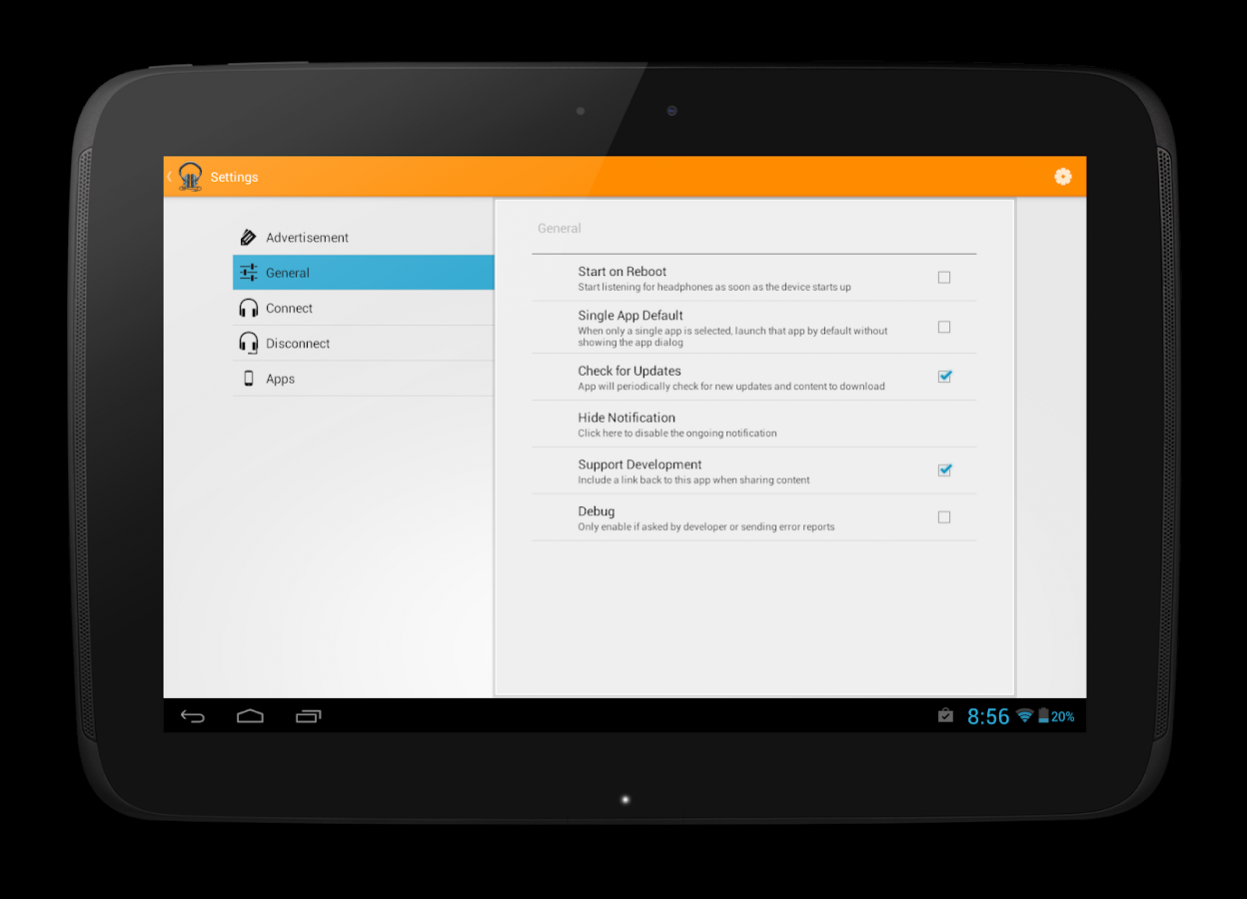
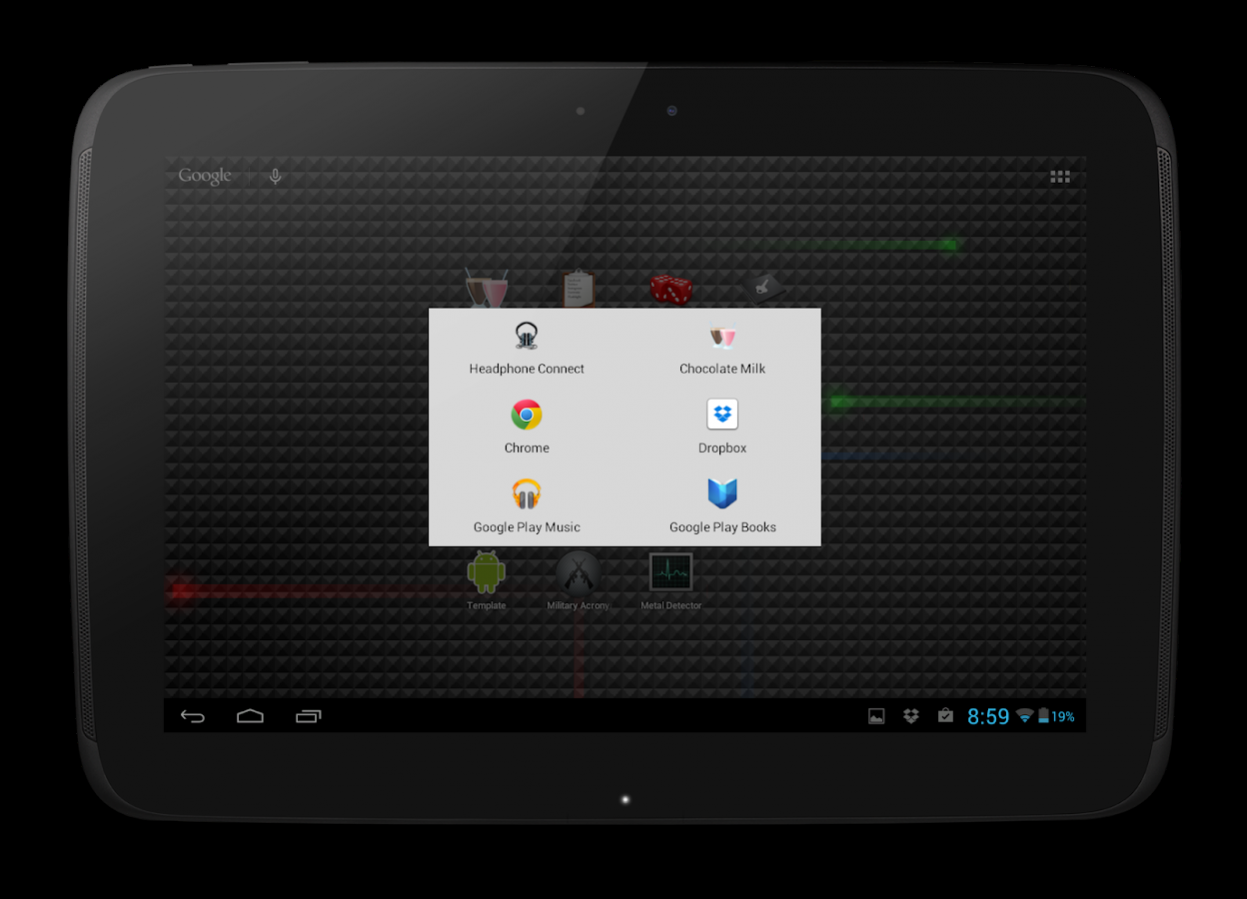
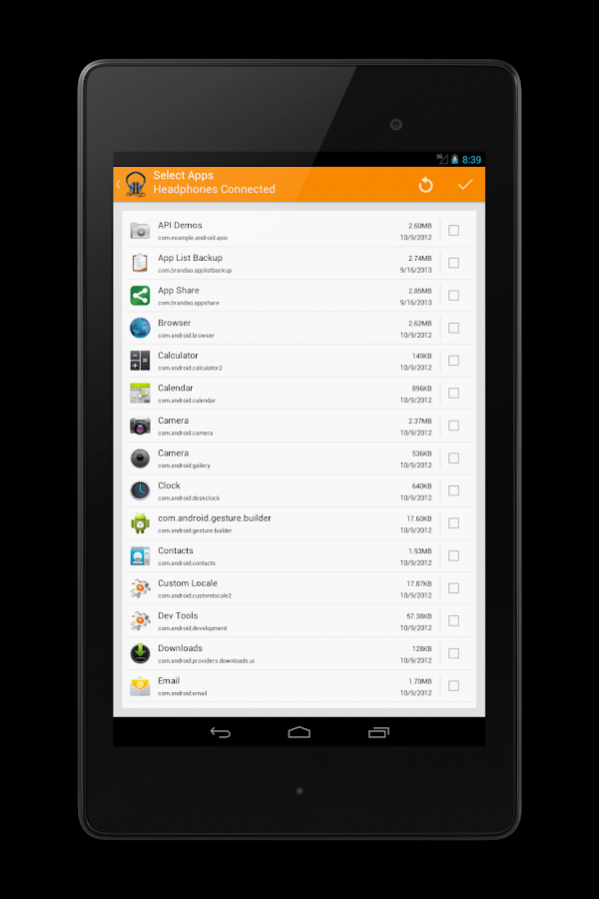
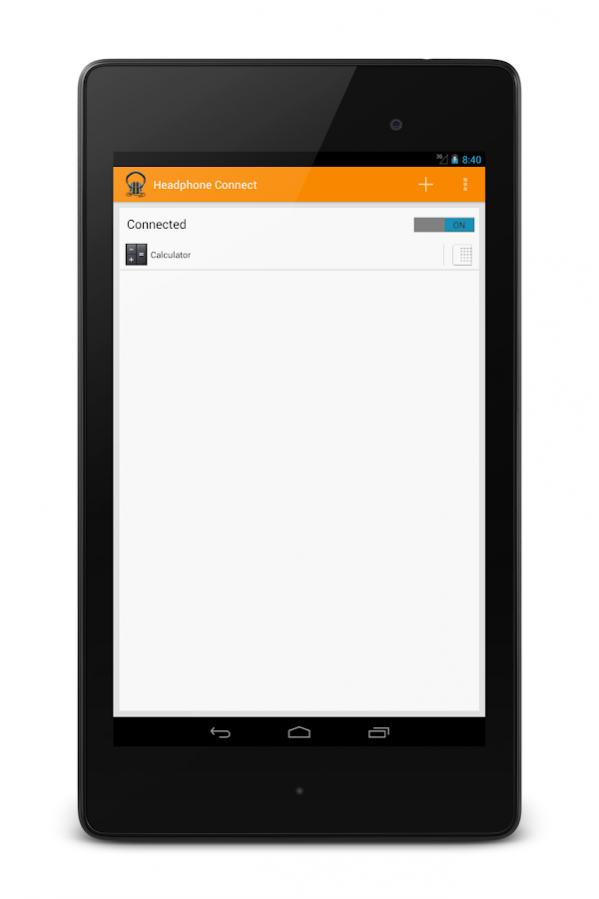
Easily assign apps to launch as soon as you connect/disconnect your headphones!
Start the app once and assign your apps. Select any settings or other actions to be performed, and from there a minimal service will run that launches a dialog with your pre-selected apps when headphones are connected or disconnect.
Features
Apps:
• Pick different apps to add to each dialog
• Launch a single app automatically
• Customize how the dialogs look
Actions:
• Show the volume panel
• Adjust the media volume
• Start the service when your phone boots
• Start actions on a delay
• Prevent actions when the screen is off
Blacklist
• Prevent showing the dialogs or performing actions when specific apps are in the current foreground. For instance, you may not want to show the dialog when you are already in a music app.
Supports Bluetooth and USB C headphones!
Advertisement is shown when configuring the dialog and actions but will never be shown in the dialog itself.
===============================================================
PLEASE NOTE: On most Android devices a notification will run in the background informing you that Headphone Connect is running, to disable this notification look under Headphone Connect on the app manager screen and disable all notifications for Headphone Connect.
https://developer.android.com/reference/android/content/Intent.html#ACTION_HEADSET_PLUG
TL/DR ^^ Android lets you "listen" for different broadcast events and "wake your app up" when they are fired off. For some reason unknown to me headphones being attached to or detached from the device is not something that will "wake an app up". The app has to already be awake in order to actually "hear" that headphones have been connected or disconnect. Naturally this is pretty pointless at least in this app's context. To get around it a service is launched which ONLY listens for that one event so minimal power from the battery is used.
======================================================================================
Contact:
Email: feedback@skytrait.com
Website: www.skytrait.com
Hearing from users is great! I'll make every attempt to respond to comments on the Google Play page, but for a faster and more personal approach feel free to email me
If you have any questions about this app, please first see the Settings -> FAQ page in the app. If you still cannot find the answer to your question, go ahead and send me an email.
=================================================================================
Permissions:
RECEIVE_BOOT_COMPLETE - Allows the app to start the service as soon as the device finishes rebooting. This feature is off by default. It can be enabled in Settings -> General.
INTERNET - Required by Google Play Services. More information on Google Play Service can be found at https://developer.android.com/google/play-services/index.html?hl=en-US
ACCESS_NETWORK_STATE - Determines if the device is currently connected to a mobile data or WiFi source. Helps conserve data.
BILLING - Allows for a one time purchase to remove all forms of advertisement. Also used to collect donations.
BLUETOOTH - Listens for when Bluetooth headphones are connected or disconnected.
PACKAGE_USAGE_STATS - Determines what app is currently in the foreground. Used in the blacklist feature.
GET_TASKS - Same as the above ^^ (Deprecated only used on pre Lollipop devices)
=====================================================================================
Social Media:
Google Play: https://play.google.com/store/apps/dev?id=5544950447673100890
Facebook: https://www.facebook.com/skytrait
Twitter: https://twitter.com/Skytrait
About Headphone Connect
The company that develops Headphone Connect is Skytrait. The latest version released by its developer is 1.0 .
To install Headphone Connect on your Android device, just click the green Continue To App button above to start the installation process. The app is listed on our website since 2017-10-29 and was downloaded 0 times. We have already checked if the download link is safe, however for your own protection we recommend that you scan the downloaded app with your antivirus. Your antivirus may detect the Headphone Connect as malware as malware if the download link to com.brandao.headphoneconnect is broken.
How to install Headphone Connect on your Android device:
- Click on the Continue To App button on our website. This will redirect you to Google Play.
- Once the Headphone Connect is shown in the Google Play listing of your Android device, you can start its download and installation. Tap on the Install button located below the search bar and to the right of the app icon.
- A pop-up window with the permissions required by Headphone Connect will be shown. Click on Accept to continue the process.
- Headphone Connect will be downloaded onto your device, displaying a progress. Once the download completes, the installation will start and you'll get a notification after the installation is finished.
Program Details
System requirements
Download information
Pricing
Version History
version
posted on 2017-10-29
v3.0.1
- USB C headphone bug fixed
- Minor bugs fixed
- Recommended apps only shown for connect
- Working on database bug where if you select apps too fast the database crashes
version
posted on 2016-10-13
2.1.0,- Apps from the phone is not cached so it doesn't have to be loaded each time,- Fast scroller added,- Added a feature to override the volume too loud warning,- Lots of bugs fixed,- Minor design changes,- Lots of under the hood change
version 1.2.2
posted on 2014-09-05
Several fixes and updates
Disclaimer
External Download
We do not host Headphone Connect on our servers. We did not scan it for viruses, adware, spyware or other type of malware. This app is hosted by Galad and passed their terms and conditions to be listed there. We recommend caution when installing it.
The APK Download link for Headphone Connect is provided to you by apps112.com without any warranties, representations or guarantees of any kind, so access it at your own risk.
If you have questions regarding this particular app contact the publisher directly. For questions about the functionalities of apps112.com contact us.
